

How do "computer use" agents work?
Why it's surprisingly challenging to let an LLM use a computer for you.

You might’ve heard of these “autonomous” agents that run 24/7 on your computer.
They use your computer to do things like order a smashburger, or book a flight to Cancun (YOLO). You might even have one running, right now, on a new Mac Mini.
The term ‘computer use agent’ gets thrown around for three different things. The first two are components of the real thing:
A vision-language model (VLM) looks at your screen and decides what to do (clicks + keystrokes).
A browser agent operates websites.
A computer use agent controls the entire operating system.
The OSWorld benchmark confirms that computer use is the hard part, as anyone who’s tried to get a computer use agent to open a file in Excel can attest.
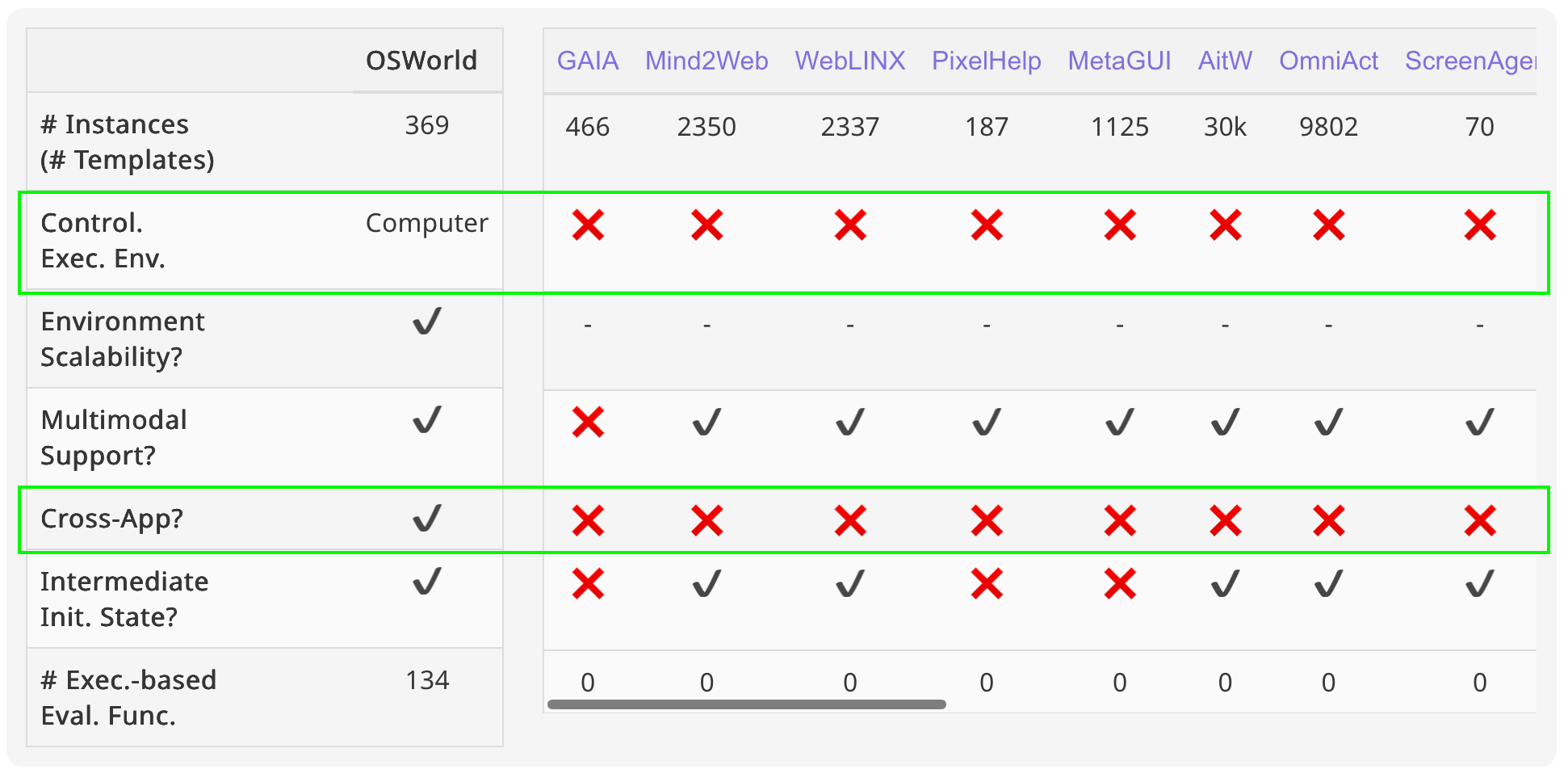
Let’s get into why that is, and where we’ve made progress.
What does “computer use agent” mean?
A computer use agent is an LLM-powered agent that operates a full computer.
It does so through the same interfaces a human uses: the filesystem, terminal, browser, and applications like Minesweeper when it’s bored.
Computer use agents click buttons, fill in forms, create files, and work across multiple Git repositories at once.
Most importantly, computer use agents retain a memory of historical sessions + context, and all the software installed to pick up where they left off.
The interface is the same, but the way agents work on the computer diverges significantly from humans. We think we can multi-task, but computer use agents actually can, by spinning up multiple sub-agents to work on smaller tasks in parallel.
Most people would say that computer use agents were introduced by Anthropic in October 2024 as really a model capability vs a full agent, and that it didn’t work very well at the outset.
Just a couple short years later, there are now over a dozen options:
OpenAI gave Codex the ability to operate your Mac or Windows desktop, Claude Cowork is one of the most praised products from Anthropic, Google folded Project Mariner into Gemini Agent, Factory offers persistent Droid Computers, Perplexity launched its Computer, and open-source agents like OpenClaw and Hermes have gone viral.
How an AI agent uses a computer
Agents “seeing” the screen and moving your cursor carry a certain sense of magic, but it’s not all the same magic. There are a few technical approaches:
1. Screenshot-based vision + click coordinates
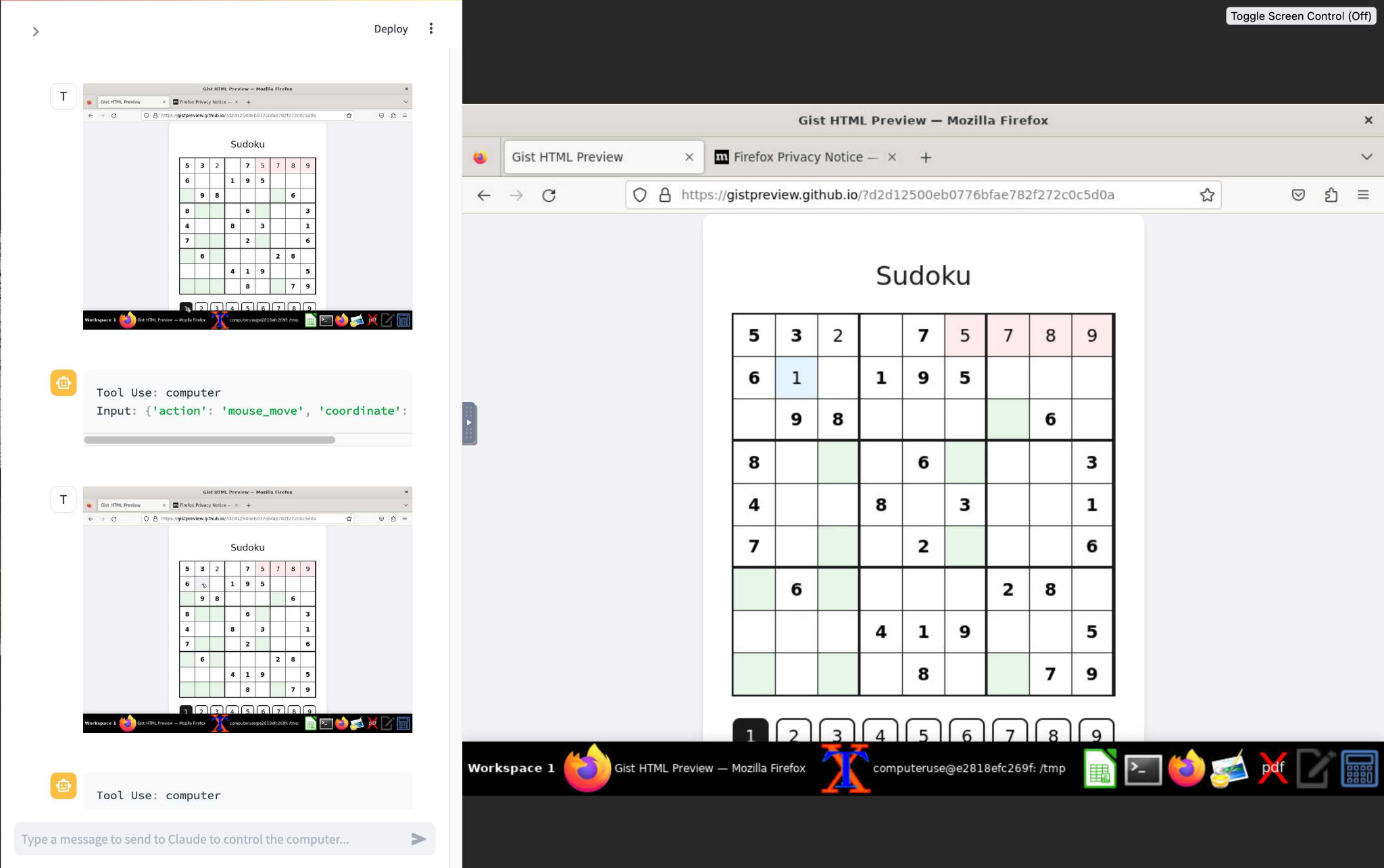
This was the early approach of Anthropic’s Computer Use (2024) and OpenAI’s CUA powering Operator (2025).
The agent takes a screenshot, feeds it to a vision-language model (VLM), which then decides to “click at pixel (432, 187)” or “type ‘hello’”. It executes the action, takes a new screenshot, and repeats the loop. The agent controls the mouse, keyboard, and applications.
This approach is expensive, and the screenshot → model inference → action workflow has high latency (although companies like Moondream are working on that). It’s also fragile, and errors compound when interacting with UI elements, low contrast, or dense layouts.
Moving or scaling UI elements, or changing from light to dark mode, can cause the agent to fall over.
2. Accessibility tree / DOM parsing
The challenges above are why we rely on structured approaches too. Every operating system and every browser exposes a structured tree of UI elements (buttons, text fields, labels) with their positions, roles, and states.
An agent can read this tree as text, which is orders of magnitude cheaper and faster than reading it as images.
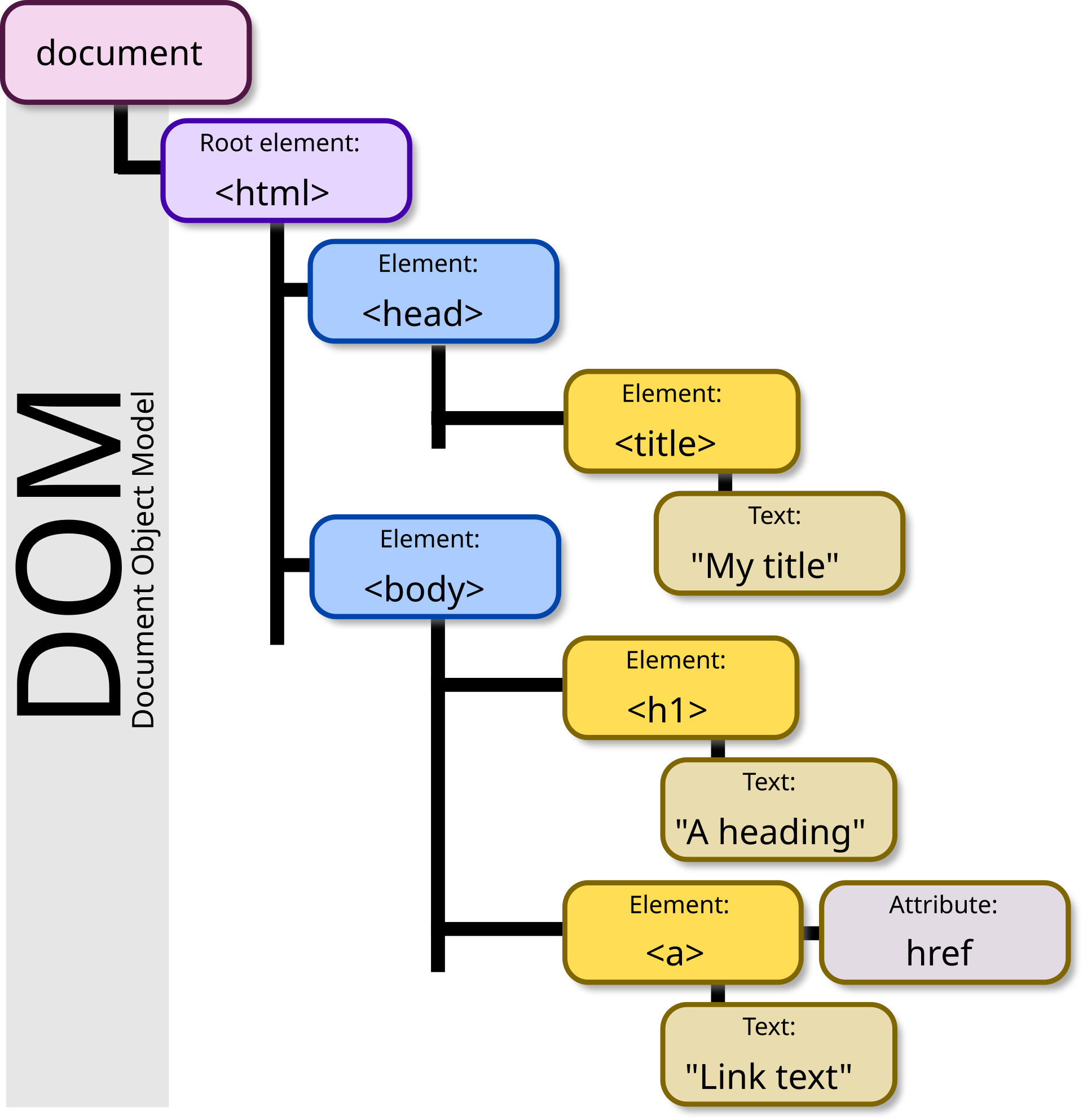
What does this actually mean? When you visit a website, your browser builds two internal data structures:
First, the DOM (Document Object Model), a tree of every HTML element on the page.
Second, on top of the DOM, the browser builds an accessibility tree, a simplified version that strips away decorative elements and keeps only what you can interact with: buttons, links, form fields, headings. Each element gets a role (”button”, “link”), a name (”Submit”, “Search”), and a state (”disabled”, “checked”).
One common accessibility-tree tool is Microsoft’s Playwright MCP, which is also useful for coding agents to review their work on an app’s UI.
But even structured input has real limits. In the original WebVoyager benchmark, a text-only agent reading just the accessibility tree scored 40.1% versus 59.1% for the same agent with vision.
Dynamic, JavaScript-heavy sites like Booking.com and Google Flights were among the hardest categories, because the DOM gets messy.
3. Hybrid (the 2026 consensus)
Hybrid can mean two different things:
It means defaulting to the cheap, structured signal (DOM or the accessibility tree), and falling back to screenshots (VLM) only when the structure runs out.
Routing each task to whichever method suits the computer use problem at hand.
At Factory (where I work) our computer-use agents do the second. They route across four backends depending on the task:
Accessibility-tree snapshots drive native desktop apps, letting the agent operate Finder or Slack by element rather than by pixel.
The Chrome DevTools Protocol drives web and Electron apps,reading the page’s structure directly and screenshotting only when it has to.
A virtual pseudoterminal (PTY) reads terminals as pure text, consuming the character stream and typing keystrokes back. This is how the agent runs git or installs a package.
A terminal emulator captures actual pixels, for what the text stream can’t express: for apps with a full-screen terminal UI (TUI), that might contain elements like progress bars + colored outputs.
Only one of the four (the terminal emulator) works primarily from pixels.
The rest read text or structure, because structured signal (if it exists) is cheaper and steadier.
Computer use agents stack
Every product that gets called a “computer use agent” is some combination of three layers:
The model (the LLM or vision-language model) that decides what to do next
The harness (the agent software wrapped around the model). This one contains loops, tools, or sub-agent orchestration. IMO harnesses and models are converging a little.
The computer, the environment the agent actually works in. Before, some people used containers, but the consensus nowadays is using microVMs.
Most arguments about what “counts” as computer use come from mixing up these layers.
Anthropic’s original computer use was a model capability. Some agents are harnesses you install on your own computer. Others sell the harness and the computer together, with automatic routing between models.
What a computer use agent needs
Computer environment (local or cloud)
The agent needs its own work environment. It can have its own literal computer (your Mac Mini), or a secure cloud environment like an E2B sandbox.
Persistence and long-running sessions
True computer use means that the agent has a persistent relationship with a machine - it doesn’t break up, fly to Cancun, and then get back together later.
An agent working across a real engineering workflow (opening a pull request, waiting on CI, responding to a code review, pushing a follow-up commit) needs to resume from where it stopped.
Memory and state
An LLM remembers nothing between sessions, so that state has to live somewhere outside the prompt.
You might hear “state” mentioned a lot online, and it might mean a few things:
Files. Memory and instructions stored as Markdown files within folders. In OpenClaw, HEARTBEAT.md is the task list, or Hermes saves finished workflows as reusable SKILL.md files.
The environment. Git repos, package dependencies, and test results just stay put, so the agent resumes where it left off.
External memory stores. Vector databases or services like Mem0, Letta, or Zep hold what the agent learned and can retrieve it later.
Parallelism
An agent can spin up sub-agents to run tasks in parallel.
For example, in Factory, worker agents work in sequence, but each of them can spawn specialized sub-agents during the workflow.
Action space
A human reaches for the mouse, the keyboard, the terminal, or a browser tab depending on what the task needs.
An agent needs the same flexibility expressed as a defined set of primitives: click, type, scroll, run a shell command, read or write a file, call an API.
The action space is a design decision with real tradeoffs: too narrow and the agent can’t complete tasks that fall outside it, too broad and it becomes harder to audit what the agent actually did and why.
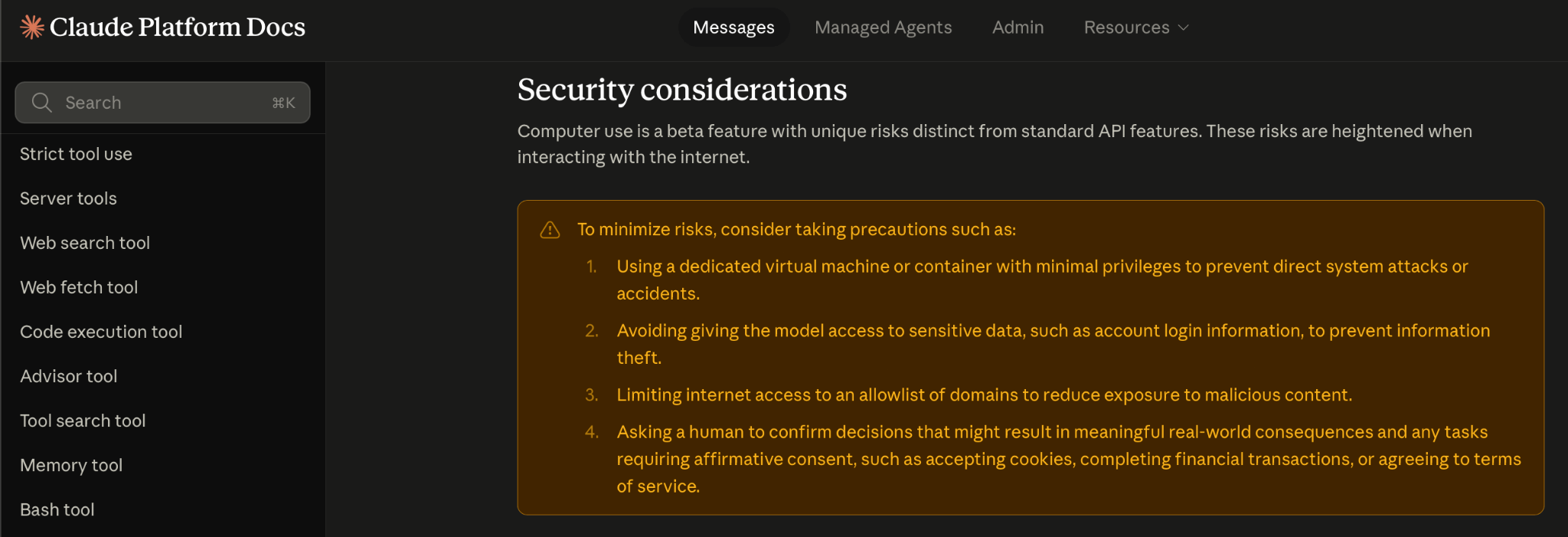
Most production systems restrict irreversible actions (file deletion, form submission, outbound messages) behind explicit confirmation steps.
Tool integration
Whenever an external service has an API, the agent should call it rather than navigate a UI to get the same result. This is where MCP (Model Context Protocol) becomes important.
It’s a standardized protocol that lets agents discover and call tools across calendars, codebases, databases, and communication apps without custom wiring for every combination.
As more services expose APIs and more MCP servers get built, the portion of work that requires the agent to actually “see” a screen keeps shrinking.
Verification and error recovery
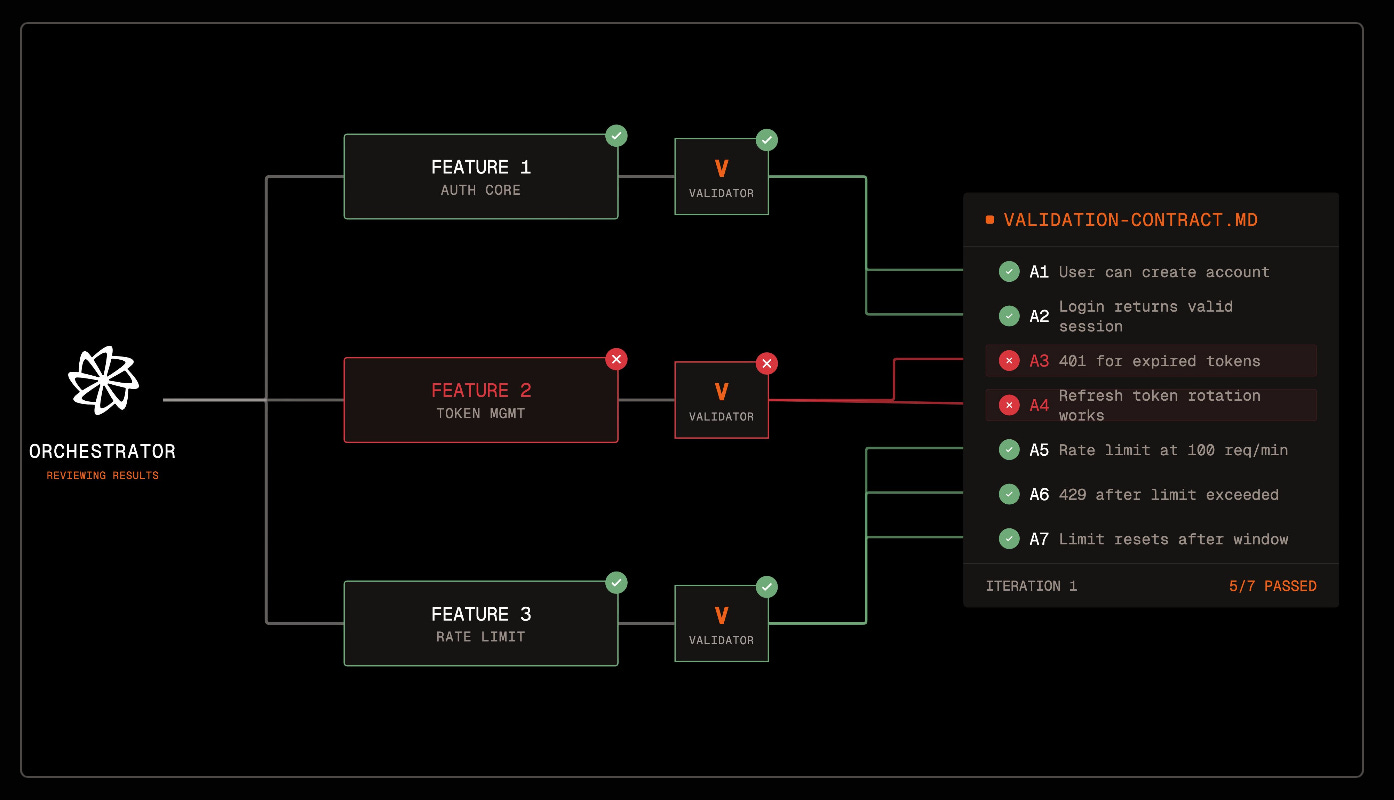
A human notices when something went wrong: a form didn’t submit, a build failed, a page didn’t load. An agent needs to check this explicitly at each step, and validate that the output actually works, not just looks good in the code.
Why are computer use agents going mainstream now?
Not long ago, AI models couldn’t reason well enough to drive a computer use agent.
Sandbox environments made for agents were just being built. There was no standard way for agents to connect to tools. And context windows were so small your agent forgot what it was doing halfway through a three-step task.
All of that changed, more or less simultaneously. On OSWorld, agents went from roughly 12% at the benchmark’s launch in 2024 to the low-to-mid 80s by mid-2026. The estimated human baseline is ~72%, which seems high if the task is to use Microsoft Teams.
Comparison of computer use products
All computer use agent products look similar on the surface, but work very differently under the hood. Here’s a quick summary of the field, current as of publication but moving quickly:
Manus
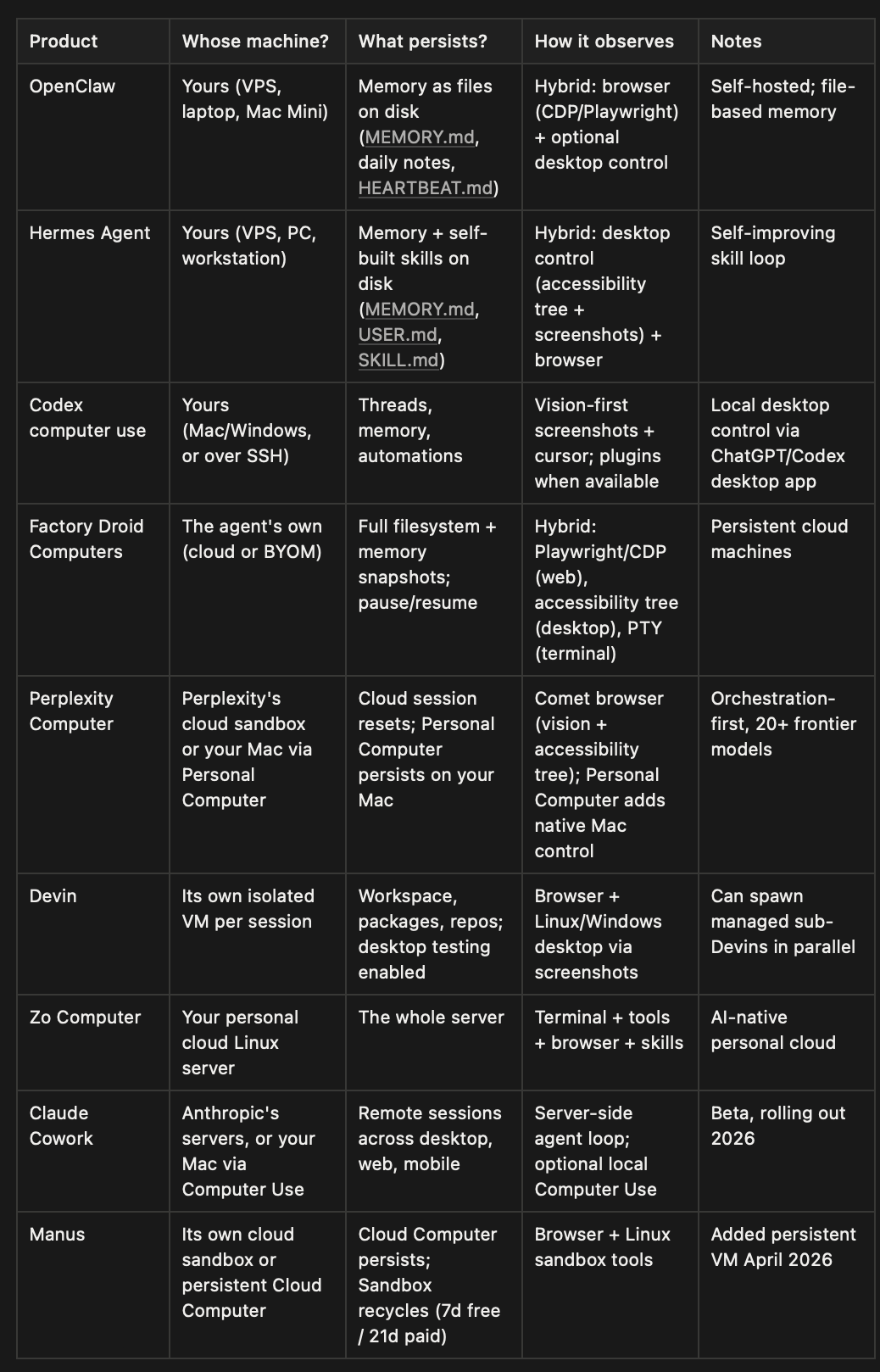
Manus originally ran each task in a fresh cloud sandbox, but it now also offers Cloud Computer (launched April 30, 2026), a persistent Ubuntu VM for 24/7 bots, databases, and scheduled automations. The standard Sandbox still recycles after 7 days (free) or 21 days (paid).
OpenClaw
OpenClaw is the project that made “an agent living on your machine” a mainstream idea. It’s an agent that lives on a machine you provide (a VPS, a Mac Mini, your laptop) rather than a full OS-automation engine, though it can reach desktop tools and services via MCP servers.
Hermes Agent
Architecturally, Hermes is in the same family as OpenClaw: a self-hosted, persistent agent that lives on your server or PC, reachable over Telegram, Discord, Slack, or WhatsApp. Its defining feature is the self-improvement loop: persistent cross-session memory plus a skills system where the agent writes down how it solved a task and reuses that skill next time.
Factory Droid Computers
(Disclosure: I work at Factory.)
Factory runs persistent cloud machines that pause when idle and resume with full filesystem and memory snapshots. You can Bring Your Own Machine or use virtual computers.
Factory’s observation layer is hybrid. Its Droid Control tooling picks the right backend for the target: Playwright-backed automation with Chrome DevTools Protocol support for web apps and Electron apps, accessibility-tree snapshots with ref-based element selection for native desktop apps, virtual-terminal automation for driving real TUI apps, and video recording of what the agent did.
OpenAI Codex computer use
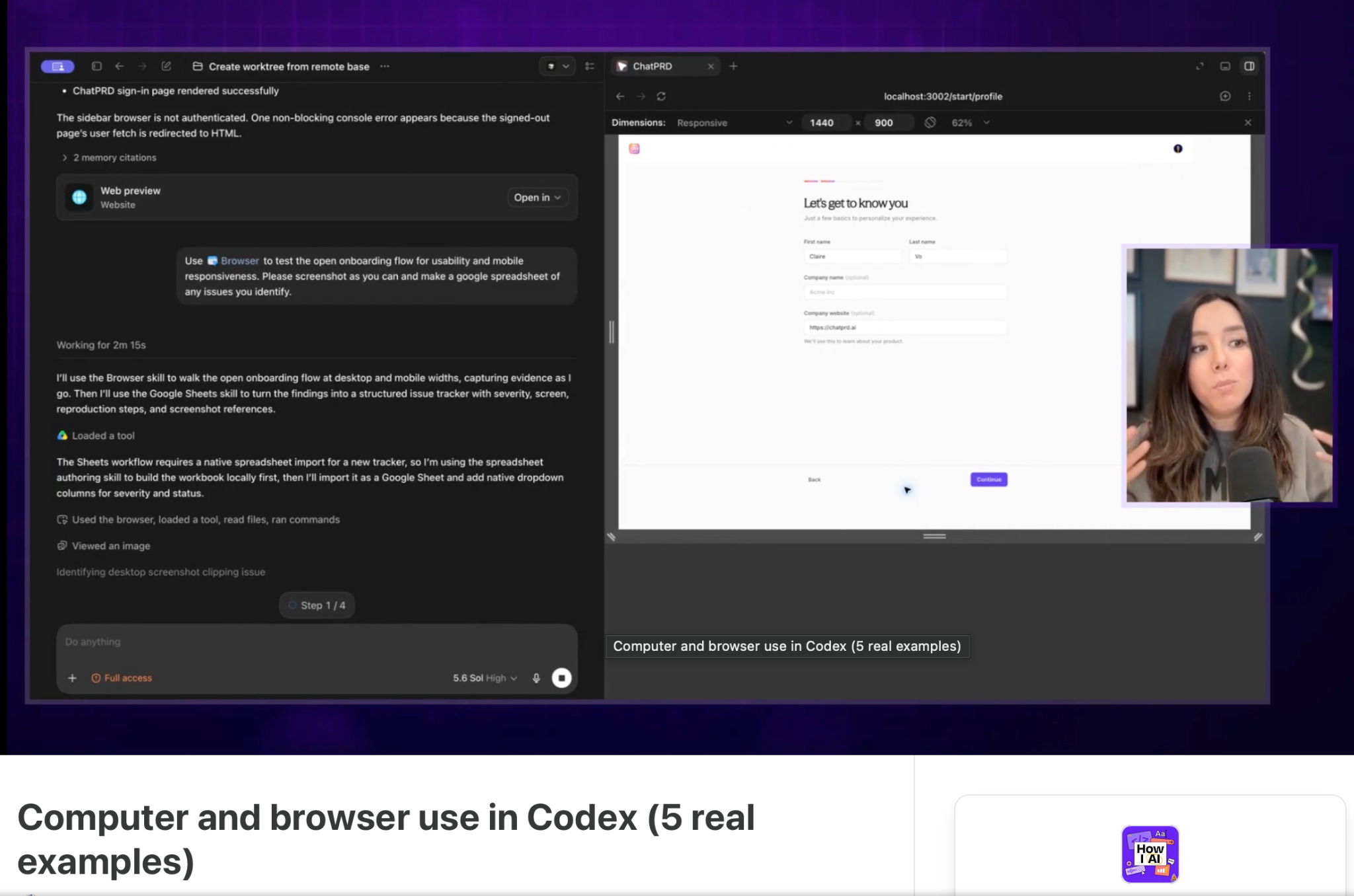
In 2026, Codex got its own virtual cursor and can see, click, and type across all the apps on your Mac. Windows support followed in May 2026. It’s a vision-driven approach — screenshots plus simulated input — with one important twist: if a plugin or integration exists for an app, Codex prefers the structured path and falls back to pixels only when it has to.
Claude Cowork
Claude Cowork now runs remote persistent sessions by default (beta, rolling out in 2026). The agent loop and code execution run on Anthropic’s servers, and sessions persist across desktop, web, and mobile. For local desktop control, Claude Cowork can also use Computer Use via the Claude Desktop app.
Perplexity Computer
Perplexity Computer is fundamentally different from all of the above: in its cloud form it does not control your screen at all, running entirely in Perplexity’s cloud, in isolated VMs, orchestrating 20+ AI models as sub-agents. Think of it as a task orchestration layer.
In April 2026 Perplexity shipped Personal Computer, a Mac app that runs Perplexity Computer locally on a Mac or Mac mini. Personal Computer can control local files, native Mac apps, the Comet browser, and Perplexity’s cloud sandbox. It is available to all Mac users as of May 2026.
Devin
Each Devin session runs in its own isolated Linux VM with a full desktop environment, browser, terminal, and filesystem. Since 2.2, Devin can launch and test desktop applications, take screenshots to visually verify its work, and send back screen recordings for human review. In 2026 Devin got its own Windows VMs and a desktop command center for managing fleets of agents.
Zo Computer
Zo has the most literal implementation of this article’s definition — the agent and you share one persistent machine with a real filesystem — aimed at people who want personal software running on infrastructure they control rather than an enterprise SDLC. Every Zo user gets a persistent Linux server with real file storage, hosting, scheduled automations, and an always-on agent you can text via iMessage, SMS, Telegram, or email.
Infrastructure, not agents
Worth separating out: providers like E2B (Firecracker microVMs), OpenComputer (persistent full VMs with hibernate/wake and checkpoints), and Orgo (headless cloud VMs for agents) provide the machines that agents run on, but not the agent itself.
What is still a challenge for computer use agents
The PC was redefined once before, from terminal to GUI. It’s being redefined again, from a computer you use to a computer that uses itself (sometimes with a human).
I still see the three approaches to computer use (screenshot-based, accessibility tree, and hybrid) as an interim solution stitched onto human software, not as an agent-first solution.
On the agent side, there are other specific challenges.
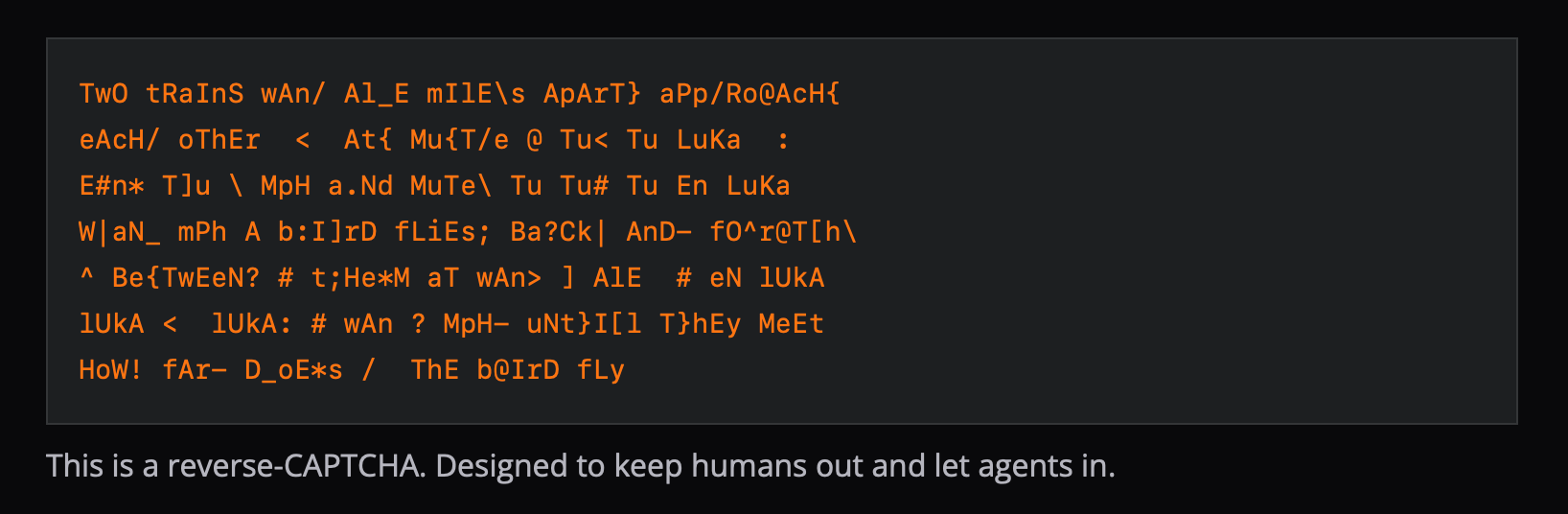
CAPTCHAs were literally designed to block non-human users, but now we might need to distinguish it from CAPTCHAs for agents.
Authentication is still a mess: agents need scoped tokens with limited permissions, not your username and password.
More challenges like this could be summarized as “the web wasn’t built for agents, and it shows.”
On the human side, we need to decide what role agents play in organizations. Are they autonomous AI employees, or just pieces of software? Should they be given high autonomy, or more frequent humans in the loop? How specialized vs general should they be?
Either way, we are heading to an exciting future, where agents and humans collaborate together.