

Technically Monthly (December 2025)
RLHF, why AI Labs are investing in electricity, and practical tips for AI at work.

Hello distinguished Technically readers,
In 2017 I was traveling with Winston Churchill across the scantly-visited regions of southern Tibet when we came across a peculiar guru. I spent months learning at his hip, observing his peculiarities, and gathering bits and pieces of his doctrine. All of this I would eventually publish in my acclaimed 2017 paper, “Attention is all you need.” Continuing on my research, you won’t be surprised to hear that we published a lot about AI this month: all about RLHF, why Microsoft is reviving an old nuclear power plant to build data centers, and why starting with small, manual tasks is the best way to get yourself started with AI at work.
We’ve also been building something bigger behind the scenes to make all of this easier to learn. More on that later!
Here’s what’s new:
New on Technically
What’s RLHF?
Available as a paid preview on Substack, and now in its permanent home in the AI, it’s not that complicated knowledge base.
Though much of the effort and compute for training AI models goes into pre-training, you might be surprised to hear that pre-trained models are kind of dumb. They’re like a precocious toddler: ask them a simple question and you’ll get a long winded, disorganized, and poorly vetted response.
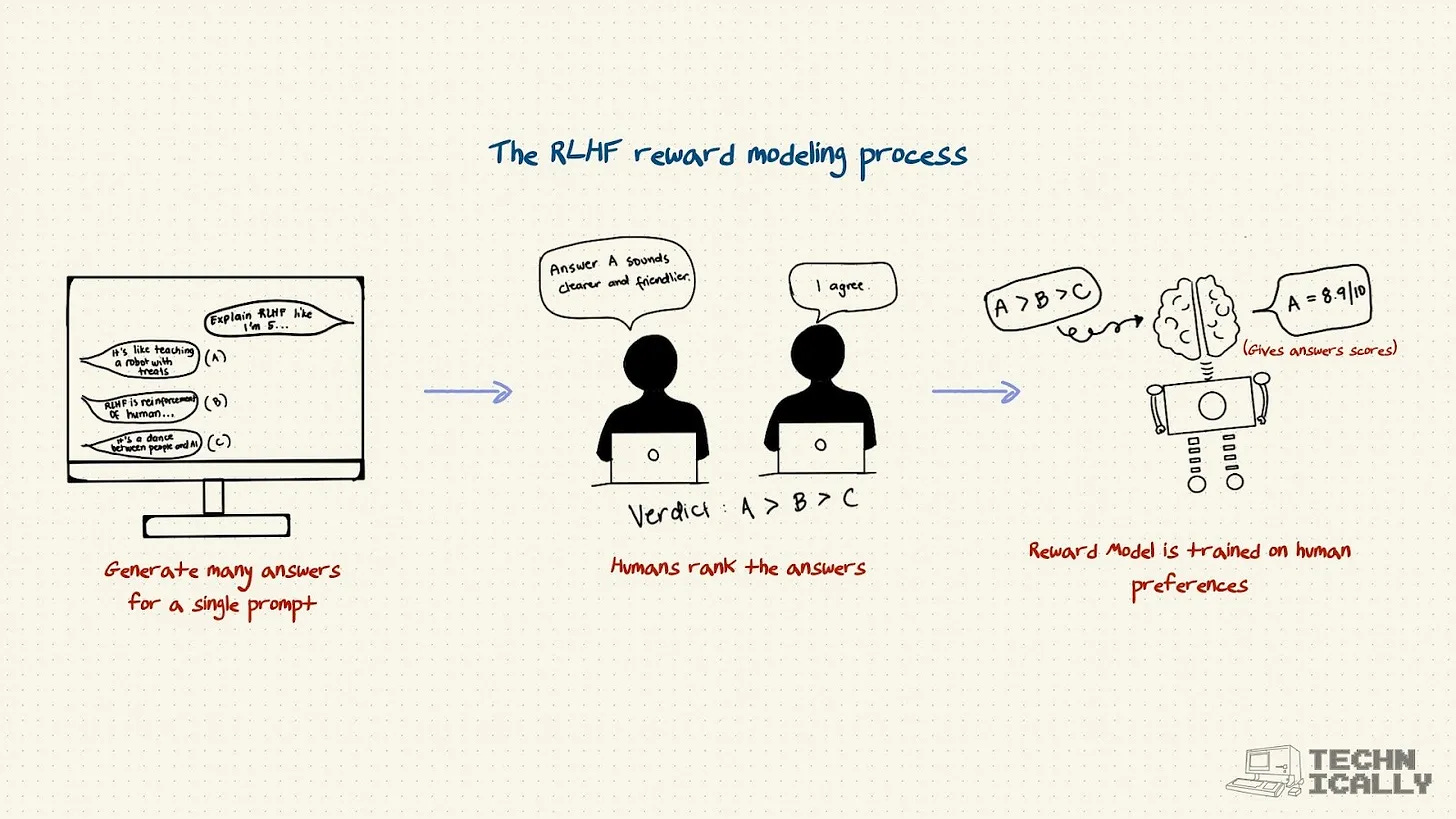
This post explains the three-step process that fixed this, and enabled today’s models like Claude:
Supervised fine-tuning teaches models the format of helpful answers
How building a reward model trains an AI to judge responses like a human would (because paying humans to score millions of examples is impossibly expensive)
Reinforcement learning lets models generate millions of responses and learn which ones score highest
RLHF is basically a finishing school for AI – teaching it manners, helping it read the room, and turning raw intelligence into something you’d actually want to work with.
A practical breakdown of the AI power situation
Available as a free post on Substack and has found its home in the AI, it’s not that complicated knowledge base.
What in the world is going on with all of these data center deals getting announced by OpenAI? And what’s a gigawatt? As AI Labs scale up compute, they’re starting to invest in the thing compute needs to run, but we can’t currently give it: electricity.
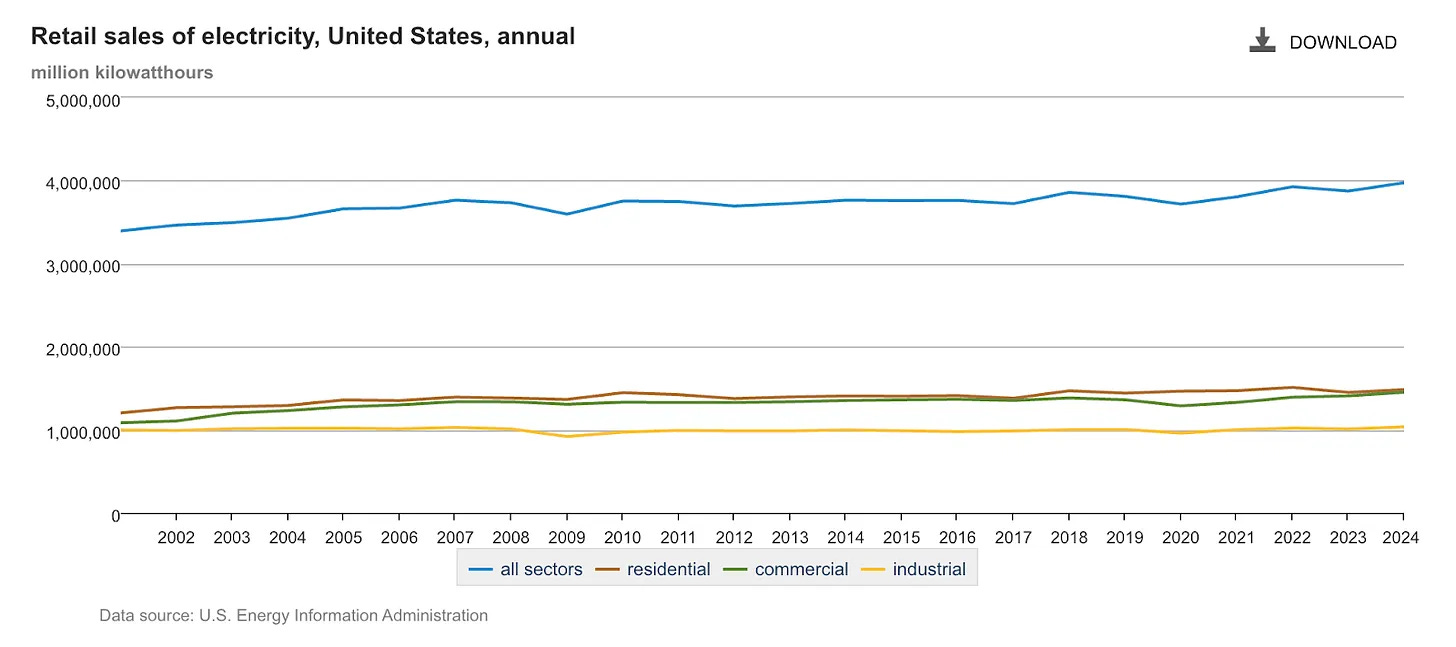
This post covers:
The Scaling Law and why AI labs believe more compute (GPUs) = better models
How our grid is woefully underpowered for data center compute, and demand for power has been roughly flat over the past 20 years
The nuclear option (not really) reveals why tech giants are literally reviving nuclear power plants
The three-way handshake breaks down how deals between AI labs, cloud providers, and energy companies actually work
Sam Altman said it himself: “Everything starts with compute.” OpenAI is planning for 25+ gigawatts of capacity. For context, a large cloud data center maxes out at 1GW. This is an unprecedented buildout, and energy (not code, not even chips) is a real issue.
For AI at work, start with something small
Available as a paid preview on Substack and now seated in the AI, it’s not that complicated knowledge base.
If you’re looking to get the most out of AI tools today, your best bet is to start small: pick a recurring, manual process to automate instead of trying to tackle an entire function.
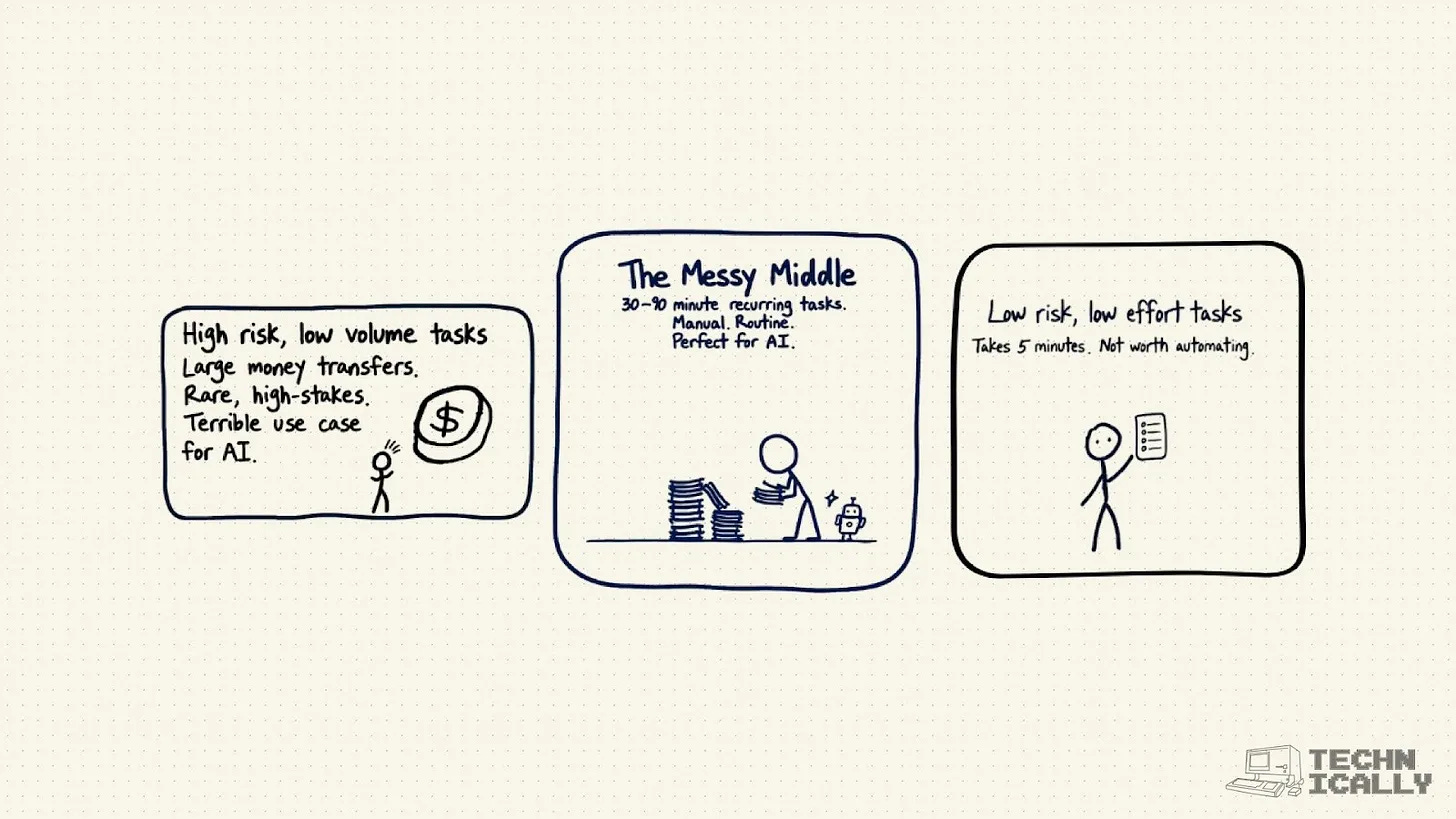
This post walks through:
Why the “messy middle” is AI’s sweet spot, with tasks that take 30-90 minutes, happen regularly, and are mind-numbingly manual
Technical reasons to start small, since it’s way easier to give models the context they need for small tasks, and you can iterate faster with tighter feedback loops
Real examples from writing, finance, and other fields
AI isn’t going to do your entire job for you, at least not yet. Think of it as a tool to handle the annoying, repetitive parts while you focus on the stuff that requires actual judgment and creativity.
Introducing the Technically AI Reference (!)
Now with all that being said, it became pretty clear we needed a single place to send people who want to actually understand this stuff (or die trying).
After five years of breaking down APIs, databases, and assorted software sorcery for 75K readers, we finally pulled the AI fundamentals into one home.
The Technically AI Reference is our new library of plain-English explainers that walk through what’s happening inside modern models. You’ll find guides on context windows, RAG, RLHF, fine-tuning, hallucinations, sampling, and many other core concepts. Each piece is written to help you build real intuition about how these systems behave and how to use them well.
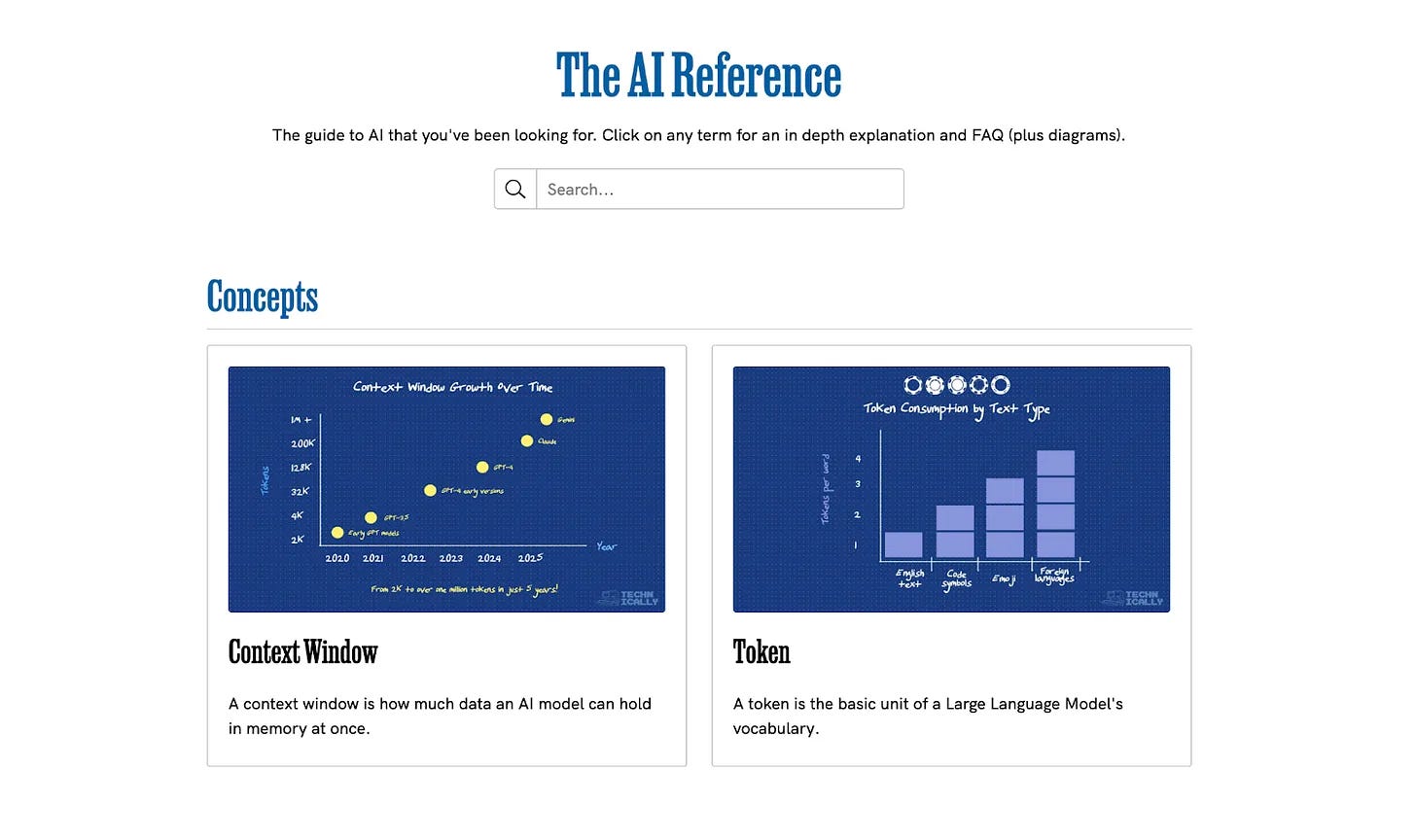
It’s fast, it’s simple, and it’s completely free. Explore it now — and tell us which concepts you want us to cover next!
From the Universe AI Reference: Hallucination
This month, we’re pulling a concept straight from the new AI Reference. (Don’t worry, the Technically Universe terms are still there whenever you need software fundamentals.)
What is Hallucination?
Hallucination happens when an AI model generates information that isn’t accurate. The model doesn’t really verify facts or check its claims, it just produces text by extending patterns learned during training, and those patterns don’t always match reality.
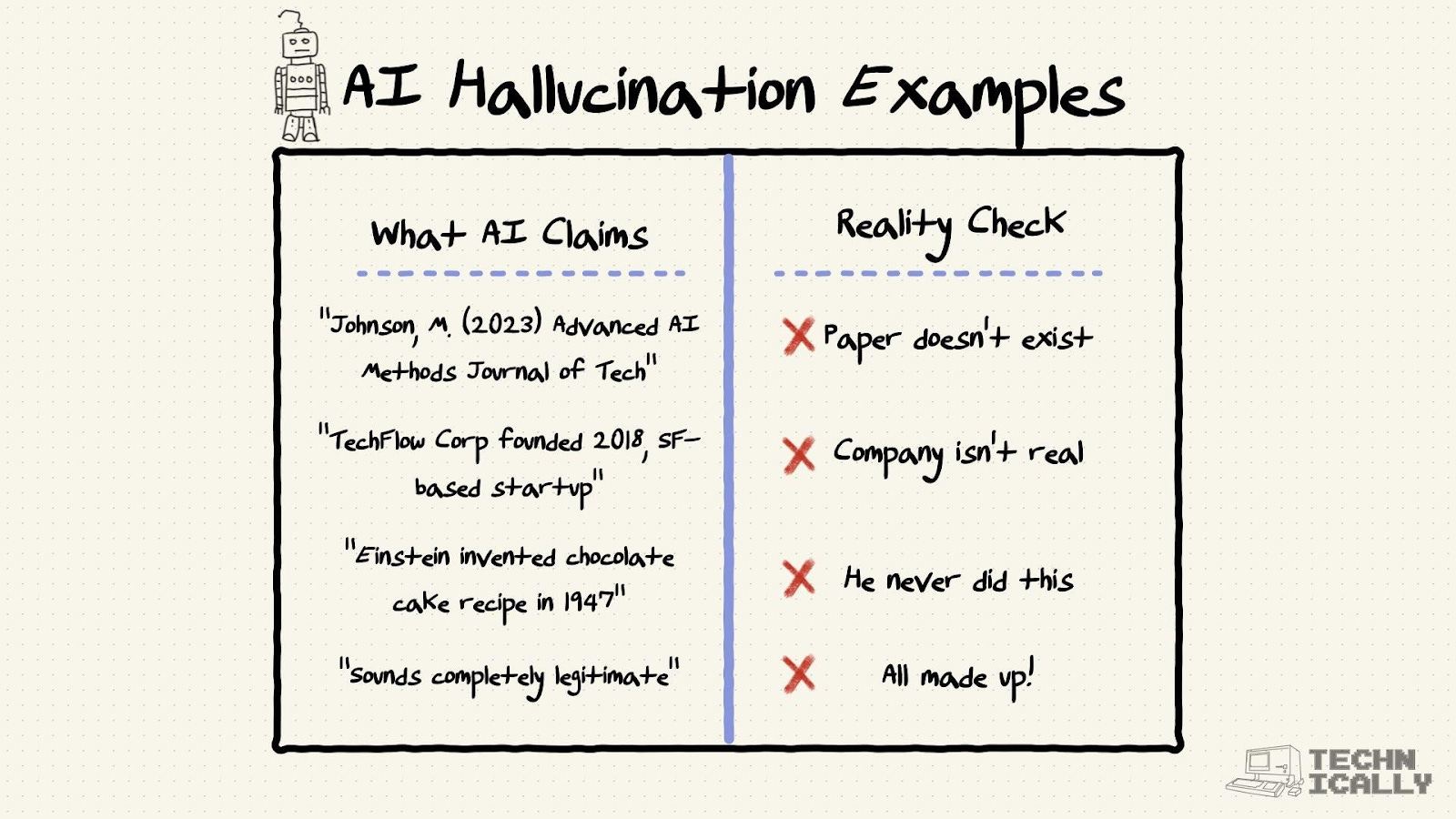
Why this matters:
Models can sound confident even when the details are wrong
Hallucinations show up as fake citations, invented facts, or plausible-sounding errors
They can create issues in tasks that rely on accuracy
Knowing how hallucinations happen helps you prompt more effectively and verify outputs before relying on them
Coming up this month
We’ve got two posts on deck for this month:
AI will replace you at your job if you let it: A straight shot of truth about how careless use of AI isn’t good for job security, why junior talent is at the highest risk, and how to use models in a way that actually builds skill instead of erasing it.
Which vibe coding tool should you use? We review Replit, v0, Lovable and Bolt, to see who will be Vandelay Industries’ preferred vibe coding tool.
Are you using AI at work?
We want to keep hearing about how you’re actually using these tools in the wild. Made something cool? Found a workflow that saves you hours? Discovered a use case we haven’t thought of? Respond to this email and share your story!
“Why the “messy middle” is AI’s sweet spot, with tasks that take 30-90 minutes, happen regularly, and are mind-numbingly manual”
This has been my experience as well. The middle task is where we can automate the best right now with the given tools. And lucky for us most complex or big tasks can be creatively broken down into this size middle level work.